{{{{ รวมโค้ดทุกโค้ดของ Hi5 Beta อัพเดทเลื่อยๆ :") }}}}}
เครดิต http://xxnoomzaaxx.hi5.com
หรือแวะดู hi5 คนแจก http://nuandek-ba.hi5.com
วิธีใส่โค้ด
<!--["่ie6+ ture"]><style>
ใส่โค้ดตรงนี้
</style><! [endif]-->
รวมโค้ดใช้สำหรับ HI5
อันนี้สำหรับคนที่ไม่รู้จริงๆนะ โค้ดที่ทำให้ตัวหนังสือหรือรูปภาพอยู่ตรงกลางเวลาใส่ไปที่เกี่ยวกับฉัน หรือความสนใจ
นี่ก็ได้
<div align="center">จะเป็นโค้ดตัวหนังสือหรือรูปภาพก็ได้นะครับใส่ตรงนี้</div>
โค้ดนี้ก็ได้นะครับ
<center>จะเป็นโค้ดตัวหนังสือหรือรูปภาพก็ได้นะครับใส่ตรงนี้</center>
นี่ก็ได้เหมือนกัน
<p align="center">จะเป็นโค้ดตัวหนังสือหรือรูปภาพก็ได้นะครับใส่ตรงนี้</p>
------------------------------------------------------------------------------------
ลบคำว่ากี่นาที ที่แล้ว กับคำว่าตอบ ตรงสถานะ (กดดูมุมมองของคนอื่นนะ)
<!--["return TURE"]><style>
div.cite .status-time,#otherUserInfo a{display:none}
</style><! [endif]-->
ลบคำว่าPoints ตรงแถบสติถิ
#vanity-bars span{display: none !important}
▂▂▂▂▂▂▂▂▂▂▂▂▂▂▂▂▂▂▂▂▂▂▂▂▂▂▂▂▂▂▂▂▂▂▂▂▂▂▂▂▂▂▂▂▂▂▂▂▂▂▂▂▂▂▂▂▂▂▂▂▂
โค้ดชี้ลิ้งค์เปลี่ยนสี
a:link { color: ใส่สีลิงค์!important; text-decoration: none}
a:visited { color: สีลิงค์ที่คลิกแล้ว!important; text-decoration: none}
a:active { color: สีตอนเม้าส์ชี้!important; text-decoration: underline}
a:hover { color: สีตอนคลิกลิงค์!important; text-decoration: underline}
#user-links a:link { color: ใส่สีลิงค์ใต้รูปโปรไฟล์!important; text-decoration: none}
#user-links a:visited{ color: สีลิงค์ที่คลิกแล้วใต้รูปโปรไฟล์!important; text-decoration: none}
#user-links a:active { color: สีตอนเม้าส์ชี้ใต้รูปโปรไฟล์!important; text-decoration: underline}
#user-links a:hover { color: สีตอนคลิกลิงค์ใต้รูปโปรไฟล์!important; text-decoration: underline}
▂▂▂▂▂▂▂▂▂▂▂▂▂▂▂▂▂▂▂▂▂▂▂▂▂▂▂▂▂▂▂▂▂▂▂▂▂▂▂▂▂▂▂▂▂▂▂▂▂▂▂▂▂▂▂▂▂▂▂▂▂
ลบกี่นาทีที่แล้ว
<!--["่ie6+ ture"]><style>
div#input-bubble-cite{display:none}
</style><! [endif]-->
▂▂▂▂▂▂▂▂▂▂▂▂▂▂▂▂▂▂▂▂▂▂▂▂▂▂▂▂▂▂▂▂▂▂▂▂▂▂▂▂▂▂▂▂▂▂▂▂▂▂▂▂▂▂▂▂▂▂▂▂▂
ชื่อโปรไฟล์กระพิบๆ งงอ่าดิ
#headerName{text-decoration:blink}
▂▂▂▂▂▂▂▂▂▂▂▂▂▂▂▂▂▂▂▂▂▂▂▂▂▂▂▂▂▂▂▂▂▂▂▂▂▂▂▂▂▂▂▂▂▂▂▂▂▂▂▂▂▂▂▂▂▂▂▂▂
มีเส้นบนชื่อโปรไฟล์ งงเปล่าอะ ฮ่าๆ
#headerName{text-decoration:overline}
▂▂▂▂▂▂▂▂▂▂▂▂▂▂▂▂▂▂▂▂▂▂▂▂▂▂▂▂▂▂▂▂▂▂▂▂▂▂▂▂▂▂▂▂▂▂▂▂▂▂▂▂▂▂▂▂▂▂▂▂▂
ขีดเส้นชื่อโปรไฟล์ขวางเลย
#headerName{text-decoration:line-through}
▂▂▂▂▂▂▂▂▂▂▂▂▂▂▂▂▂▂▂▂▂▂▂▂▂▂▂▂▂▂▂▂▂▂▂▂▂▂▂▂▂▂▂▂▂▂▂▂▂▂▂▂▂▂▂▂▂▂▂▂▂
ขีดเส้นใต้ชื่อโปรไฟล์
#headerName{text-decoration:underline}
Code By xxnoomzaaxx.hi5.com
▂▂▂▂▂▂▂▂▂▂▂▂▂▂▂▂▂▂▂▂▂▂▂▂▂▂▂▂▂▂▂▂▂▂▂▂▂▂▂▂▂▂▂▂▂▂▂▂▂▂▂▂▂▂▂▂▂▂▂▂▂
ใส่รูปหน้าชื่อโปรไฟล์
#headerName:before {content:url(urlภาพ)}
▂▂▂▂▂▂▂▂▂▂▂▂▂▂▂▂▂▂▂▂▂▂▂▂▂▂▂▂▂▂▂▂▂▂▂▂▂▂▂▂▂▂▂▂▂▂▂▂▂▂▂▂▂▂▂▂▂▂▂▂▂
ใส่รูปหลังชื่อโปรไฟล์
#headerName:after {content:url(urlภาพ)}
▂▂▂▂▂▂▂▂▂▂▂▂▂▂▂▂▂▂▂▂▂▂▂▂▂▂▂▂▂▂▂▂▂▂▂▂▂▂▂▂▂▂▂▂▂▂▂▂▂▂▂▂▂▂▂▂▂▂▂▂▂
ใส่รูปหน้าคำคอมเม้นท์
#comments .comment-text:before {content:url(urlภาพ)}
▂▂▂▂▂▂▂▂▂▂▂▂▂▂▂▂▂▂▂▂▂▂▂▂▂▂▂▂▂▂▂▂▂▂▂▂▂▂▂▂▂▂▂▂▂▂▂▂▂▂▂▂▂▂▂▂▂▂▂▂▂
ใส่รูปหลังคำคอมเม้นท์
#comments .comment-text:after{content:url(urlภาพ)}
▂▂▂▂▂▂▂▂▂▂▂▂▂▂▂▂▂▂▂▂▂▂▂▂▂▂▂▂▂▂▂▂▂▂▂▂▂▂▂▂▂▂▂▂▂▂▂▂▂▂▂▂▂▂▂▂▂▂▂▂▂
จัดทำโดย http://xxnoomzaaxx.hi5.com
▂▂▂▂▂▂▂▂▂▂▂▂▂▂▂▂▂▂▂▂▂▂▂▂▂▂▂▂▂▂▂▂▂▂▂▂▂▂▂▂▂▂▂▂▂▂▂▂▂▂▂▂▂▂▂▂▂▂▂▂▂
เปลี่ยนโลโก้ hi5 แต่งแถบเมนูhi5
<!--["่ie6+ ture"]><style>
#PageHeaderContainer li a {color:สีลิ้งค์เมนู!important;}
#PageHeaderContainer li a:hover {color:สีเมื่อเอาเม้าส์ชี้ลื้งค์เมนู!important}
#PageHeaderLogo img {;visibility: hidden;}
#PageHeaderLogo{background:url(URLโลโก้hi5) no-repeat 50% 0%;no-repeat center center;height:ความสูงภาพpx;width:ความกว้างpx}
#PageHeaderContainer {background:url(URLภาพพื้นหลังเมนูถ้าเอาแต่สีพื้นหลังไม่ต้องใส่ URLตรงนี้ก็ได้) no-repeat 50% 0%;no-repeat center center;height:ความสูงภาพpx;width:ความกว้างpx;background-color: สีพื้นหลังเมนู hi5 !important}
</style><! [endif]-->
▂▂▂▂▂▂▂▂▂▂▂▂▂▂▂▂▂▂▂▂▂▂▂▂▂▂▂▂▂▂▂▂▂▂▂▂▂▂▂▂▂▂▂▂▂▂▂▂▂▂▂▂▂▂▂▂▂▂▂▂▂
ชื่อโปรไฟล์ตรงกลาง ใหญ่ด้วย
#headerName{TEXT-ALIGN:center;font-size:ขนาดตัวหนังสือชื่อโปรไฟล์px;color:โค้ดสีชื่อโปรไฟล์!important;}
▂▂▂▂▂▂▂▂▂▂▂▂▂▂▂▂▂▂▂▂▂▂▂▂▂▂▂▂▂▂▂▂▂▂▂▂▂▂▂▂▂▂▂▂▂▂▂▂▂▂▂▂▂▂▂▂▂▂▂▂▂
ชื่อโปรไฟล์ชิดขวา ใหญ่ด้วย
#headerName{TEXT-ALIGN:right;font-size:ขนาดตัวหนังสือชื่อโปรไฟล์px;color:โค้ดสีชื่อโปรไฟล์!important;} หรือจะเอาด้านซ้ายล่ะ ? แหม๋มันซ้ายอยู่แล้วปกติ ฮ่าๆๆ 
▂▂▂▂▂▂▂▂▂▂▂▂▂▂▂▂▂▂▂▂▂▂▂▂▂▂▂▂▂▂▂▂▂▂▂▂▂▂▂▂▂▂▂▂▂▂▂▂▂▂▂▂▂▂▂▂▂▂▂▂▂
ใส่แต่งสถานะ(อย่าใส่ลืมใส่โค้ดเปิดกับปิดด้วยนะครับ มุมเราอาจมองไม่เห็นกดดูในมุมมองคนอื่นะครับ)
#topic-edit-link {color:สีลิ้งค์คำว่าแก้ไข;font-size:ขนาดตัวหนังสือคำว่าแก้ไขpx !important;}
#topic-edit-link:hover {color:สีตอนเอาเม้าส์ชี้คำว่าแก้ไข;}
#otherUserInfoBg{background:url(URLภาพ) no-repeat 50% 0%;no-repeat center center;height:ความสูงภาพpx;width:ความกว้างpx }
#topic-noedit {color: โค้ดสีของคำพูดที่สถานะ !important;font-size:ขนาดตัวหนังสือสถานะpx;text-decoration: none !important;}
▂▂▂▂▂▂▂▂▂▂▂▂▂▂▂▂▂▂▂▂▂▂▂▂▂▂▂▂▂▂▂▂▂▂▂▂▂▂▂▂▂▂▂▂▂▂▂▂▂▂▂▂▂▂▂▂▂▂▂▂▂
ลบคำว่ากี่นาทีที่แล้วตรงสถานะ กับลบหัวข้อข้อมูลตรงสถานะ
#otherUserInfo h4,#topic-noedit .status-time{display: none}
code by http://xxnoomzaaxx.hi5.com
▂▂▂▂▂▂▂▂▂▂▂▂▂▂▂▂▂▂▂▂▂▂▂▂▂▂▂▂▂▂▂▂▂▂▂▂▂▂▂▂▂▂▂▂▂▂▂▂▂▂▂▂▂▂▂▂▂▂▂▂▂
รูปโปรไฟล์ใหญ่ นำรูปอื่นใส่แทนนะ (รูปด้านบน)
#user-picture img {;visibility: hidden;}
#user-picture{background:url(URlภาพ) no-repeat 50% 0%;no-repeat center center;height:ความสูงภาพpx;width:ความกว้า่งภาพpx }
#user-links ,#user-pictureContainer{background-color:transparent;border:none !important;}
#picture-button {display: none}
#profileLeftBlueBoxBg, #user-pictureBg, #vanity-barsBg, #otherUserInfoBg {background: none !important}
▂▂▂▂▂▂▂▂▂▂▂▂▂▂▂▂▂▂▂▂▂▂▂▂▂▂▂▂▂▂▂▂▂▂▂▂▂▂▂▂▂▂▂▂▂▂▂▂▂▂▂▂▂▂▂▂▂▂▂▂▂
รูปโปรไฟล์ใหญ่ นำรูปอื่นใส่แทนนะ (รูปด้านบนอันนี้ไม่ทับกับลิ้งค์เพิ่มเพื่อน)
#user-picture img {;visibility: hidden;}
#user-pictureContainer{background:url(ภาพ) no-repeat 50% 0%;no-repeat center center;height:ความสูงภาพpx;width:ความกว้างภาพpx }
#user-links ,#user-pictureContainer{background-color:transparent;border:none !important;}
#picture-button {display: none}
#profileLeftBlueBoxBg, #user-pictureBg, #vanity-barsBg, #otherUserInfoBg {background: none !important}
▂▂▂▂▂▂▂▂▂▂▂▂▂▂▂▂▂▂▂▂▂▂▂▂▂▂▂▂▂▂▂▂▂▂▂▂▂▂▂▂▂▂▂▂▂▂▂▂▂▂▂▂▂▂▂▂▂▂▂▂▂
โค้ดพื้นหลัง hi5 เต็มจอ ในรูปเดียวแก้ไขแล้วเต็มๆ
<!--["่ie6+ ture"]><style>
Body{background-image:url(urlภาพ956*717);background-position: center;background-repeat: no-repeat;background-attachment: fixed;background-color:#000000;}
</style><! [endif]-->
▂▂▂▂▂▂▂▂▂▂▂▂▂▂▂▂▂▂▂▂▂▂▂▂▂▂▂▂▂▂▂▂▂▂▂▂▂▂▂▂▂▂▂▂▂▂▂▂▂▂▂▂▂▂▂▂▂▂▂▂▂
โค้ดขยับ ให้ส่วนเฮดกับโปรไฟล์ติดกัน
<!--["่ie6+ ture"]><style>
#user-details{;position:relative;top:-5px}
#PageHeaderContainer li a {color: โค้ดสีลิ้งค์!important}
#PageHeaderContainer li a:hover {color: โค้ดสีลิ้งค์เมื่อเอาเม้าส์ชี้ !important}#PageHeaderContainer{background-color:transparent !important;border:none !important;}
</style><! [endif]-->
▂▂▂▂▂▂▂▂▂▂▂▂▂▂▂▂▂▂▂▂▂▂▂▂▂▂▂▂▂▂▂▂▂▂▂▂▂▂▂▂▂▂▂▂▂▂▂▂▂▂▂▂▂▂▂▂▂▂▂▂▂
เปลี่ยนสีตัวหนังสือหัวข้อด้านซ้ายทั้งหมด
#content-left h1{font-size:ขนาดตัวหนังสือpx !important;color:สีอักษร!important; text-decoration: none;}
เปลี่ยนสีตัวหนังสือหัวข้อด้านขวาทั้งหมด
#content-right h1{font-size:ขนาดตัวหนังสือpx !important;color:สีอักษร!important; text-decoration: none;}
▂▂▂▂▂▂▂▂▂▂▂▂▂▂▂▂▂▂▂▂▂▂▂▂▂▂▂▂▂▂▂▂▂▂▂▂▂▂▂▂▂▂▂▂▂▂▂▂▂▂▂▂▂▂▂▂▂▂▂▂▂
ลบเสั้นขั้น ประ ใต้อัพโหลดรูปภาพ
<!--["่ie6+ ture"]><style>#user-links ,#user-pictureContainer{background-color:transparent;border:none !important;}
</style><! [endif]-->
▂▂▂▂▂▂▂▂▂▂▂▂▂▂▂▂▂▂▂▂▂▂▂▂▂▂▂▂▂▂▂▂▂▂▂▂▂▂▂▂▂▂▂▂▂▂▂▂▂▂▂▂▂▂▂▂▂▂▂▂▂
ลบคอมเม้นท์ออกหมด เหลือ แต่กล่องคอมเม้นท์
<!--["่ie6+ ture"]><style>.listitem-separator {visibility:hidden;}.comment-picture {display:none}.commentdiv{visibility:hidden}.comment-picture {visibility: visible!important}.comment-text{visibility:visible !important}.section.comment-text{display: none}</style><! [endif]-->
▂▂▂▂▂▂▂▂▂▂▂▂▂▂▂▂▂▂▂▂▂▂▂▂▂▂▂▂▂▂▂▂▂▂▂▂▂▂▂▂▂▂▂▂▂▂▂▂▂▂▂▂▂▂▂▂▂▂▂▂▂
โค้ดเปลี่ยนสีอักษรข้อมูลส่วนตัว ตามรูป
<!--["่ie6+ ture"]><style>
#userInfoTop .section h4, #userInfoTop .info-box{color:สีอักษร!important;font-size:ขนาดตัวหนังสือpx !important;}
</style><! [endif]-->
▂▂▂▂▂▂▂▂▂▂▂▂▂▂▂▂▂▂▂▂▂▂▂▂▂▂▂▂▂▂▂▂▂▂▂▂▂▂▂▂▂▂▂▂▂▂▂▂▂▂▂▂▂▂▂▂▂▂▂▂▂
ขยายตัวหนังสือคำว่าออนไลน์ตอนนี้ + เปลี่ยนสี
<!--["่ie6+ ture"]><style>
#user-picture span{font-size:ขนาดตัวหนังสือpx !important;color:โค้ดสีตัวหนังสือ !important; text-decoration: none;}
</style><! [endif]-->
▂▂▂▂▂▂▂▂▂▂▂▂▂▂▂▂▂▂▂▂▂▂▂▂▂▂▂▂▂▂▂▂▂▂▂▂▂▂▂▂▂▂▂▂▂▂▂▂▂▂▂▂▂▂▂▂▂▂▂▂▂
โค้ดท๊อปเฟรนแนวตั้งแถมมีสกอบาร์เลื่อนได้จ้า
<!--["่ie6+ ture"]><style>
#friends {position:relative;top:-1em;left:22em;}
#friends .subsection{height:200px;width:100px; overflow-y:Scroll}
#friends h1,#friends h2{display: none !important}
#friends .friend-name { display: none; }
#friends a[href="/friend/importer/displayImportGeneric.do"]{display:none}
</style><! [endif]-->
▂▂▂▂▂▂▂▂▂▂▂▂▂▂▂▂▂▂▂▂▂▂▂▂▂▂▂▂▂▂▂▂▂▂▂▂▂▂▂▂▂▂▂▂▂▂▂▂▂▂▂▂▂▂▂▂▂▂▂▂▂
โค้ดลบแถบสีขาวๆใสๆ ตรงลิ้งค์ ใต้รูปโปรไฟล์ และ แถบสติถิ ครับ
<!--["่ie6+ ture"]><style>
#profileLeftBlueBoxBg, #user-pictureBg, #vanity-barsBg, #otherUserInfoBg {background: none !important}
</style><! [endif]-->
▂▂▂▂▂▂▂▂▂▂▂▂▂▂▂▂▂▂▂▂▂▂▂▂▂▂▂▂▂▂▂▂▂▂▂▂▂▂▂▂▂▂▂▂▂▂▂▂▂▂▂▂▂▂▂▂▂▂▂▂▂
โค้ดลบ โฆษณาด้านล่างสุดของ hi5- บนสุดของ hi5 และ ใต้แถบสติถิออกให้หมด
full code
<!--["่ie6+ ture"]><style>
#PageFooterAd,#PageFooter,#hi5-ad-1,#recent-updates,div#PageLeader,#GamesToolbar,#PageLeader,.pageLeaderAd {display: none !important}
</style><! [endif]-->
▂▂▂▂▂▂▂▂▂▂▂▂▂▂▂▂▂▂▂▂▂▂▂▂▂▂▂▂▂▂▂▂▂▂▂▂▂▂▂▂▂▂▂▂▂▂▂▂▂▂▂▂▂▂▂▂▂▂▂▂▂
โค้ดลบแค่จำนวนเหรียญ ตรง hi5 ดารา กับ ลบคำว่าอารมณ์
div#coinsBalance a,div#myMood{display: none !important}
▂▂▂▂▂▂▂▂▂▂▂▂▂▂▂▂▂▂▂▂▂▂▂▂▂▂▂▂▂▂▂▂▂▂▂▂▂▂▂▂▂▂▂▂▂▂▂▂▂▂▂▂▂▂▂▂▂▂▂▂▂
โค้ดเปลี่ยนสีลิ้งค์ hi5 (ไม่ต้องแก้ไร นอกจากโค้ดสี)
<!--["่ie6+ ture"]><style>
#user-links a, .vanity-title a, #picture-links a {color:โค้ดสีลิ้งค์ !important; }
#user-links a:hover, .vanity-title a:hover, #picture-links a:hover {color:โค้ดสีลิ้งค์เมื่อเอาเม้นท์ชี้ !important;}
</style><! [endif]-->
▂▂▂▂▂▂▂▂▂▂▂▂▂▂▂▂▂▂▂▂▂▂▂▂▂▂▂▂▂▂▂▂▂▂▂▂▂▂▂▂▂▂▂▂▂▂▂▂▂▂▂▂▂▂▂▂▂▂▂▂▂
โค้ดใส่รูปด้านล่างสุดของ hi5
div#PageFooterContainer { background: url(URLภาพ) no-repeat center center;
border: none; display: block; height: ความสูงpx; }
#PageFooterAd,#PageFooter-SiteLinks,p#PageFooter-Copyright,ul#PageFooter-CompanyLinks{display:none;}
▂▂▂▂▂▂▂▂▂▂▂▂▂▂▂▂▂▂▂▂▂▂▂▂▂▂▂▂▂▂▂▂▂▂▂▂▂▂▂▂▂▂▂▂▂▂▂▂▂▂▂▂▂▂▂▂▂▂▂▂▂
โค้ดลบ hi5 ดาราออกไปให้หมดนะครับ
#profileAvatarContainer {display:none;}
โค้ดช่องกลางของ hi5 ตรงข้อมูลส่วนตัวและ hi5 ดารา และสถานะ
#about-center{display:none;}
โค้ดลบสถานะ ออกไปให้หมด
div#todays-topic{display:none}
ลบชื่อโปรไฟล์ขวาบนสุด
#PageHeader-FullName{display:none}
ลบแถบ hi5 Games ที่เลื่อนตามหน้า hi5 ล่างสุด
#GamesToolbar{display:none}
ลบโฆษณาใต้แถบสติถิ
#hi5-ad-1{display:none}
ลบกล่องข้อมูล info ใต้อัพเดท
#info-contact{display:none}
โค้ดลบโลโก้ด้านบนด้านขวามือ หน้า account [Avatar]
#PageHeader-Avatar{display:none}
ลบอัพโหลดรูปภาพใต้ดิสเพ
#picture-button {display: none}
ลบโฆษณาด้านบนสุด
#PageLeader{display:none}
#groups {display:none;} ลบกลุ่ม
#schools {display:none;} ลบโรงเรียน
#videos {display:none;} ลบวิดีโอ
#widgets {display:none;} ลบวิดเจ็ต
#recent-updates {display:none;} ลบอัพเดท
#friends {display:none;} ลบเพื่อน
#photoAlbums {display:none;} ลบอัลบั้มรูป
#interests{display:none;}ลบ interests
#lifestyle{display:none;}ลบ lifestyle
#user-fives {display: none;}ลบไฟล์
ลบอัพเดท
#recent-updates{display:none}
ลบเมนู hi5 ทั้งหมด
#PageHeaderContainer {display:none}
ลบชื่อโปรไฟล์
#headerName{display:none}
ลบของขวัญ hi5 ข้างบนท๊อปเฟรน
#gifts{display:none}
ลบ Applications
#apps{display:none}
ลบท๊อปเฟรน
#friends{display:none}
ลบคำว่า เพื่อน และพื้นหลังคำว่าเพื่อน
#friends h1{display:none}
ลบโลโก้ hi5
#PageHeaderLogo{display:none}
ลบ เหรียญ hi5 [coins]
#PageHeader-CoinsBalance-Value{display:none}
ลบข้อความ ใต้เหรียญ hi5 [messages]
.first{display:none}
ลบกลุ่ม
#groups{display:none}
ลบเกม hi5
#gamesModule{display:none}
ลบสมุดบันทึก
#journalDetail{display:none}
ลบ widget
#widgets{display:none}
ลบ comments ทั้งหมด
#comments{display:none}
ลบคำว่า ความเห็น และคำว่า ลบดูคอมเม้นท์ทั้งหมด
#comment-heading {display: none !important}
BY~http://xxnoomzaaxx.hi5.com
โค้ดเฮดด้านบน
#headerNameBg {background-image:url(รูป);width: ความกว้างpx; height: ความสูงรูปpx;background-repeat:no-repeat;}
โค้ดเฮดย่อยส่วนอัพเดท
<style type="text/css">
#recent-updates h1 { text-indent:1px;background: url(รูป);
background-position:50% 30%;background-repeat:no-repeat;height: ความสูงรูปpx;}
ส่วนของขวัญ
{ text-indent:1px;background: url(รูป);
background-position:50% 30%;background-repeat:no-repeat;height: ความสูงรูปpx;}
เพื่อน
#friends h1{ text-indent:1px;background: url(รูป);
background-position:50% 30%;background-repeat:no-repeat;height: ความสูงรูปpx;}
อัลบั้มรูป
#photoAlbums h1{ text-indent:1px;background: url(รูป);
background-position:50% 30%;background-repeat:no-repeat;height: ความสูงรูปpx;}
คอมเม้นท์
#comments h1{ text-indent:1px;background: url(รูป);
background-position:50% 30%;background-repeat:no-repeat;height: ความสูงรูปpx;}
ตรงข้อมูลใต้อัพเดท
#info-contact h1{ text-indent:1px;background: url(รูป);
background-position:50% 30%;background-repeat:no-repeat;height: ความสูงรูปpx;}
เกี่ยวกับฉัน
#lifestyle h1{ text-indent:1px;background: url(รูป);
background-position:50% 30%;background-repeat:no-repeat;height: ความสูงรูปpx;}
ความสนใจ
#interests h1{ text-indent:1px;background: url(รูป);
background-position:50% 30%;background-repeat:no-repeat;height: ความสูงรูปpx;}
เกมส์
#gamesModule h1{ text-indent:1px;background: url(รูป);
background-position:50% 30%;background-repeat:no-repeat;height: ความสูงรูปpx;}
กลุ่ม
#groups{ text-indent:1px;background: url(รูป);
background-position:50% 30%;background-repeat:no-repeat;height: ความสูงรูปpx;}
</style>
HI5 Beta CODE ตัวหนังสือวิ่ง ไปมา หรือรูปภาพก็ได้ WoRK 100%
โค้ดนี้ไม่ต้องแก้ไรทั้งนั้นครับทำให้หมดแล้ว
เปลี่ยนแค่ตรงสีชมพู ใส่คำพูดหรือโค้ดรูปภาพไรก็ได้ที่อยากให้เลื่อน
เครดิต http://xxnoomzaaxx.hi5.com
วิ่งไปทางซ้าย
<!--["่ie6+ ture"]><marquee>โค้ด HTML หรือ TEXT</marquee><! [endif]-->
วิ่งไปทางขวา
<!--["่ie6+ ture"]><marquee direction="right">โค้ด HTML หรือ TEXT</marquee><! [endif]-->
ไว้ไปมาๆ
<!--["่ie6+ ture"]><marquee behavior="alternate">โค้ด HTML หรือ TEXT</marquee><! [endif]-->
วิ่งจากล่างขึ้นบน
<!--["่ie6+ ture"]><marquee direction="up">โค้ด HTML หรือ TEXT</marquee><! [endif]-->
วิ่งจากบนลงล่าง
<!--["่ie6+ ture"]><marquee direction="down">โค้ด HTML หรือ TEXT</marquee><! [endif]-->
วิ่งขึ้นลงไปมา
<!--["่ie6+ ture"]><marquee direction="up" behavior="alternate">โค้ด HTML หรือ TEXT</marquee><! [endif]-->
วิ่งขึ้นสลับไปมาทางซ้าย
<!--["่ie6+ ture"]><marquee behavior="alternate" direction="up" width="80%"><marquee direction="right">โค้ด HTML หรือ TEXT</marquee></marquee><! [endif]-->
วิ่งสลับไปมาขึ้นบนลงล่างซ้านขวาสลับไปมา
<!--["่ie6+ ture"]><marqueebehavior="alternate" direction="up" width="80%"><marqueedirection="right" behavior="alternate">โค้ด HTML หรือ TEXT</marquee></marquee><! [endif]-->
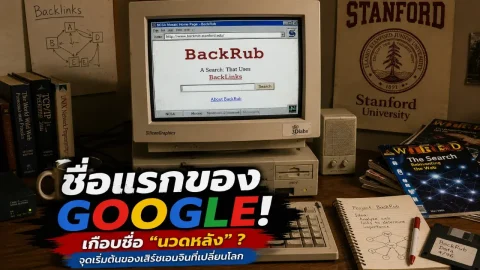 เพิ่งรู้ว่า Google เกือบไม่ได้ใช้ชื่อนี้! ย้อนดูชื่อแรกสุดที่ฟังดูไม่เหมือนเสิร์ชเอนจินระดับโลก
 จังหวัดที่มีห้องว่างในโรงแรมมากที่สุด มีจำนวนผู้เข้าพักน้อยที่สุดในไทย
 เลขเด็ด "พญาบึ้งดำ"วันที่ 16 มิถุนายน 2569
 ทองขึ้นลงแรง ก่อนซื้อทอง 1 บาทต้องดูอะไรให้คุ้มกว่าราคาขายออก
 คณะที่คนสมัครมากสุดใน TCAS69 ไม่ใช่แพทย์ อันดับจริงน่าคิดกว่าที่คาด
 เปิดประวัติ ติณติณ New Country จากศิลปินลูกทุ่งรุ่นใหม่ สู่ประเด็นที่ค่ายสั่งพักงาน
 เลขศาสตร์เดือนมิถุนายน 2569 เปิดความหมายเลข 5 0 7 8 9 ที่สายมูจับตา
 5 เมืองลับแลเมืองไทย เที่ยวแล้วเหมือนหลุดจากเมืองใหญ่ไปอีกโลก
 มอเตอร์ไซค์แบรนด์ไทย ที่ประสบความสำเร็จมากเป็นอันดับหนึ่ง
 รู้หรือไม่? ว่ามีสัตว์ที่ไม่ต้องดื่มน้ำตลอดชีวิต มีอยู่จริงนะ
 ความวิจิตรเหนือกาลเวลา: ถอดรหัส "Thai Tiara" มงกุฎแห่งอัตลักษณ์ไทยโดยเมซงฝรั่งเศส
 เพิ่งรู้ว่า รถใช้น้ำมันคันแรกของโลก หน้าตาเหมือนรถซาเล้งสามล้อ แถมเมียต้องแอบขโมยไปขับ!เพิ่งรู้ว่า Google เกือบไม่ได้ใช้ชื่อนี้! ย้อนดูชื่อแรกสุดที่ฟังดูไม่เหมือนเสิร์ชเอนจินระดับโลก
 จังหวัดไหนคือแหล่งอาหารสำคัญของไทยทองขึ้นลงแรง ก่อนซื้อทอง 1 บาทต้องดูอะไรให้คุ้มกว่าราคาขายออก
 เมืองใหญ่ในอีสานปี 2569 ใครกำลังเป็นขั้วเศรษฐกิจดึงเงินลงทุนใหม่
 ทำไมอาหารทอดถึงอร่อย ทั้งเสียงกรอบ กลิ่นหอม และสีทองถึงทำให้สมองยอมแพ้
 แกะรอย 6 เรื่องเล่า “อาถรรพ์ป่าปิด” ที่เทคโนโลยีก็ยังเอาชนะไม่ได้